1. HWA
  2. Help centre
  3. Supervisors
All areas

Supervisors

#What is a supervisor?

  • Schools
  • Web

A role between administrator and centre. A supervisor can create new centres — up to the limit you set — and manage the ones you have granted them access to.

They also receive alerts about abuse reports in the centres under their supervision.

  • Screenshot: What is a supervisor?
  • Screenshot: What is a supervisor?

#How do I register a supervisor?

  • Schools
  • Web

Under Supervisors, click Register Supervisor and fill in:

  • Email — must be valid.
  • New Institution Creation Limit — how many centres they may create (minimum 0).
  • Assign Existing Institutions (optional) — centres to grant them from the start.

Click Submit. Both can be adjusted later.

  • Screenshot: How do I register a supervisor?
  • Screenshot: How do I register a supervisor?

#What is the Institution Creation Limit?

  • Schools
  • Web

How many new centres that supervisor may create. The minimum is 0, meaning none.

Setting it to 0 does not remove their access to centres they already manage — that is controlled separately, under Institution Access.

  • Screenshot: What is the Institution Creation Limit?
  • Screenshot: What is the Institution Creation Limit?

#How do I grant or remove access to a centre?

  • Schools
  • Web

Open the supervisor and go to Institution Access:

  • Grant Access — pick the centre under Educational Centers and click Grant. The date shows under Granted At.
  • Revoke — withdraws access to that centre, after a confirmation.

If they have none yet you will see This supervisor has no institution access yet.

Revoking only removes access: the centre and anything they created in it are untouched. It also does not free up creation-limit budget, because that limit counts the centres they created, not the ones they can see.

✅ Verified 2026-08-27. revokeAccess deletes only the supervisor_institution_access row and writes an ACCESS_REVOKED audit entry — it touches no content.

  • Screenshot: How do I grant or remove access to a centre?
  • Screenshot: How do I grant or remove access to a centre?

#What is the difference between the creation limit and institution access?

  • Schools
  • Web

They are independent permissions:

  • The creation limit only says how many new centres they may create.
  • Institution access says which existing centres they may manage.

A supervisor can have a limit of 0 and still manage several centres, or a limit of 5 and manage none yet. If you want them to stop managing a centre, revoke the access — lowering the limit will not do it.

  • Screenshot: What is the difference between the creation limit and institution access?
  • Screenshot: What is the difference between the creation limit and institution access?

#How do I find a supervisor?

  • Schools
  • Web

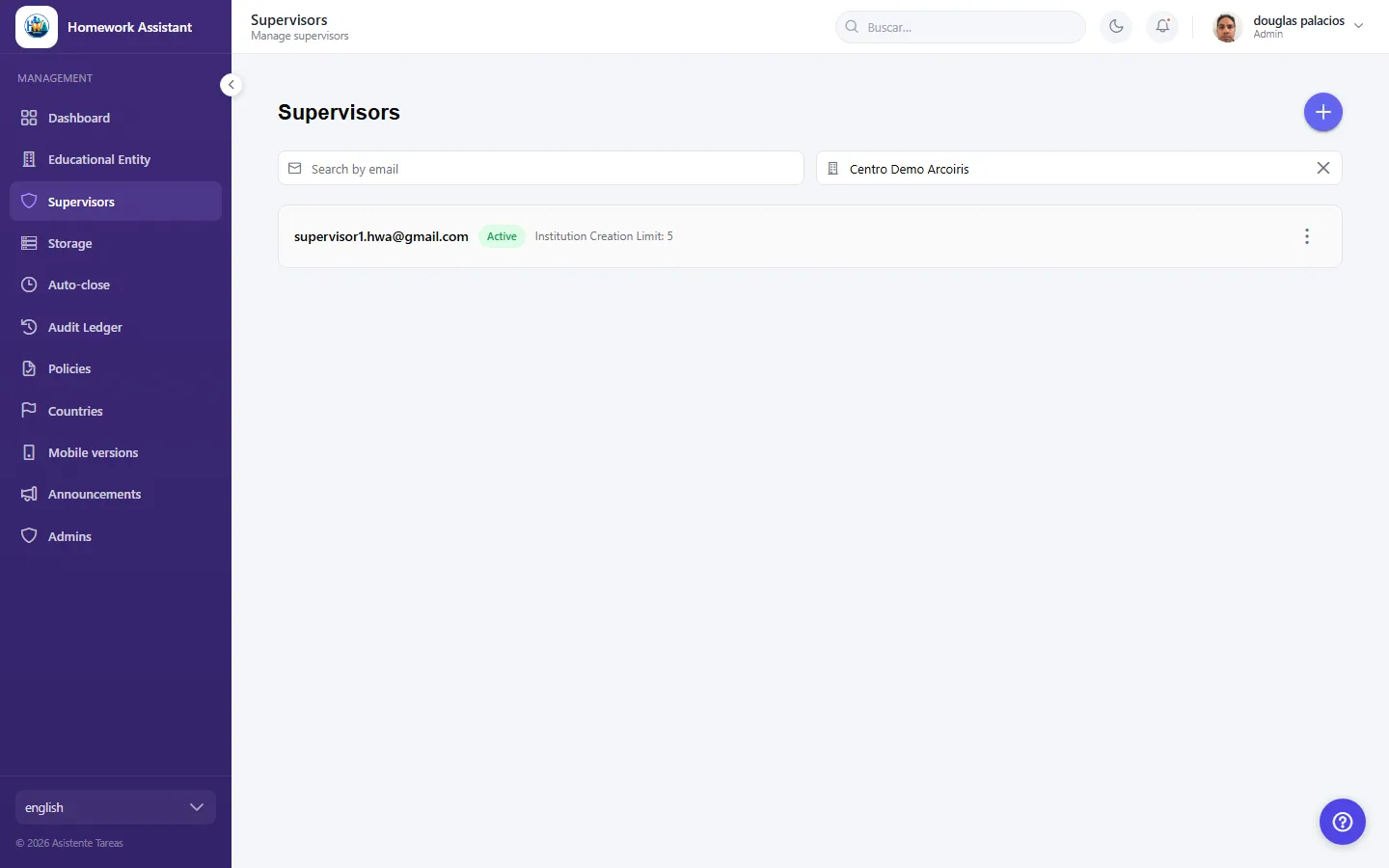
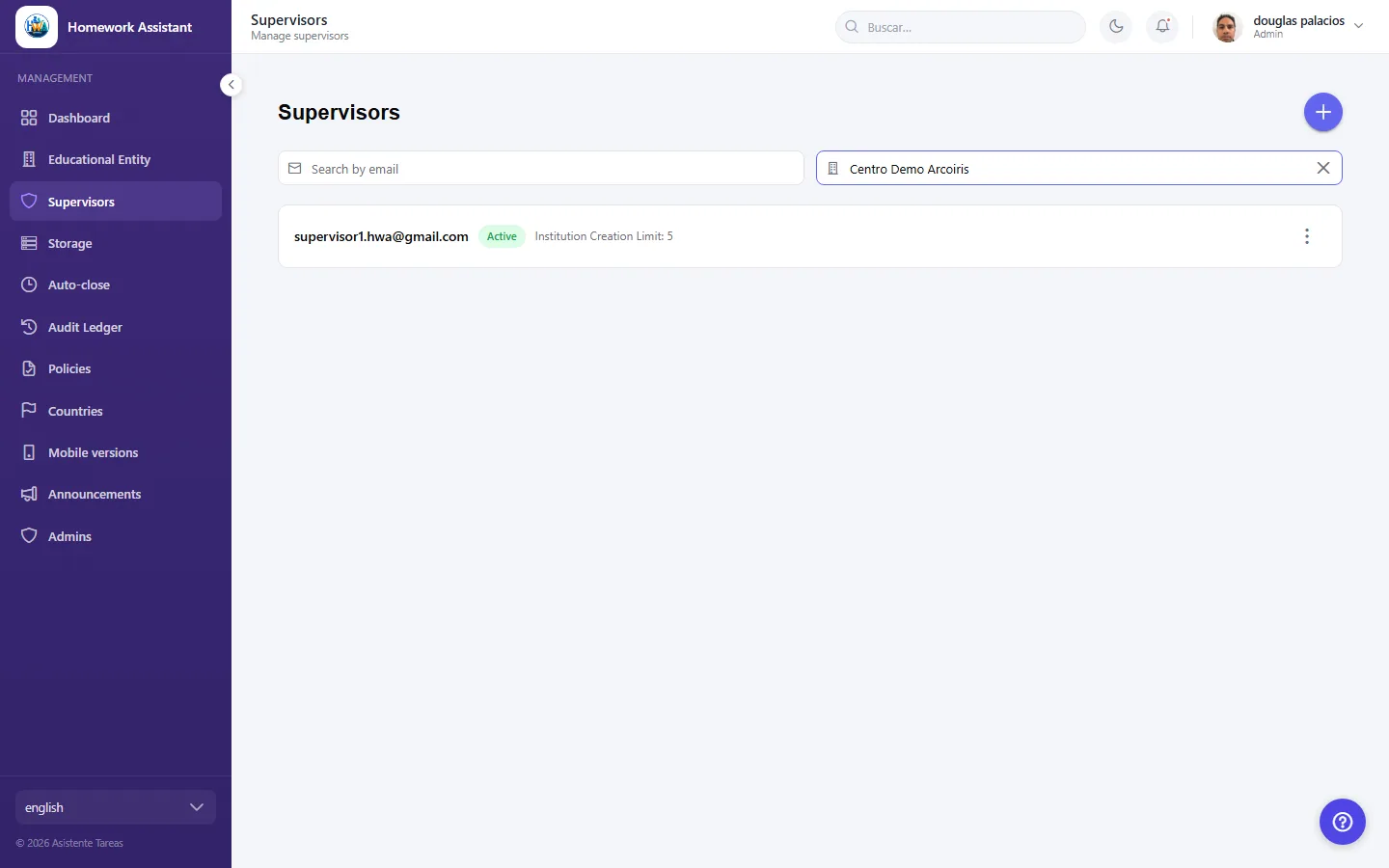
Use Search by email or Search by institution name. The screen groups them into:

  • Unassigned supervisors — registered but with no centre access yet.
  • Supervisors by institution — grouped by the centre they manage.

If nobody matches you will see No supervisors found, and on a given centre, No supervisors assigned.

  • Screenshot: How do I find a supervisor?

#What does a supervisor's Status mean?

  • Schools
  • Web
  • Active — they can sign in and work normally.
  • Inactive — their access is suspended, but the record and its assignments are kept.

Member since shows when they were registered. Setting Inactive is the reversible option when someone steps away temporarily; deleting is not.

  • Screenshot: What does a supervisor's Status mean?

#How do I delete a supervisor?

  • Schools
  • Web

Use Delete and confirm. You will be asked Are you sure you want to permanently delete {email}? This action cannot be undone.

If you only want to withdraw access for now, setting them Inactive or using Revoke on specific centres is better. Deleting is final.

  • Screenshot: How do I delete a supervisor?
  • Screenshot: How do I delete a supervisor?

#I registered a supervisor. How do they get in?

  • Schools
  • Web

There is no invitation to accept. On registration they receive a welcome email with the sign-in link and the centres you assigned. They sign in with that same email address — the platform recognises them by it.

One exception to know about: if you register them with a creation limit of 0 and no centre assigned, no email is sent at all. Tell them yourself in that case, or assign a centre first.

✅ Written from capture, 2026-08-27. Fills the gap the checklist flagged as "a gap a new supervisor would hit immediately". The conditional send is SupervisorManager.java:90 (limit > 0 || !centerIds.isEmpty()) and is raised as product followup 17 — if that is fixed, delete the exception paragraph.

  • Screenshot: I registered a supervisor. How do they get in?
  • Screenshot: I registered a supervisor. How do they get in?

#Someone wants to use HWA and has no account. What do I tell them?

  • Schools
  • Web

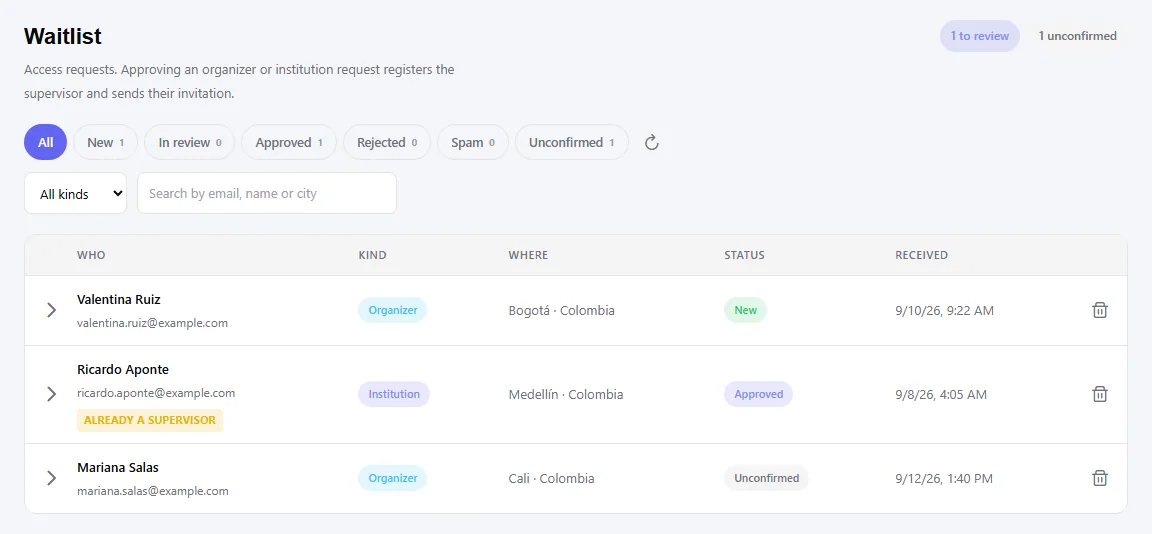
To write in from the public HWA page — that is the waitlist form. They will get an email to confirm their address, and from there an admin decides.

There is no self-signup: nobody becomes a supervisor without an admin approving it. The other route is an admin registering them directly, with no waitlist involved.

Reviewer notes

  1. Q5 exists because the two powers are genuinely confusable — both are about institutions, both are set on the same record, and only one of them removes anything. Worth confirming my reading that they are fully independent.
  2. Q1 says supervisors receive abuse-report alerts, from the push.report-filed template ("a center under your supervision"). Their moderation powers are otherwise covered in backlog 9b.
  3. Q7 and Q8 both steer toward the reversible option. Consistent with how I handled sign-out vs delete in batch 6 — where an irreversible action sits beside a reversible one, the answers name the safer path.
  4. How a supervisor first signs in is not covered — unlike guardians, there is no invitation flow in these strings. Registration is by email, but what the supervisor receives is undocumented. Added to the capture checklist.
  • Screenshot: Someone wants to use HWA and has no account. What do I tell them?

Other areas