1. HWA
  2. Help centre
  3. App updates
All areas

App updates

#I see Update available. Do I have to update right now?

  • Families
  • Mobile app

No. That message means a newer version exists but yours still works. It appears once per session and the choice is yours:

  • Update — takes you to the store.
  • Later — carry on using the app as normal.

It is worth updating when convenient: newer versions carry fixes, and it saves you meeting a required update at a bad moment later on.
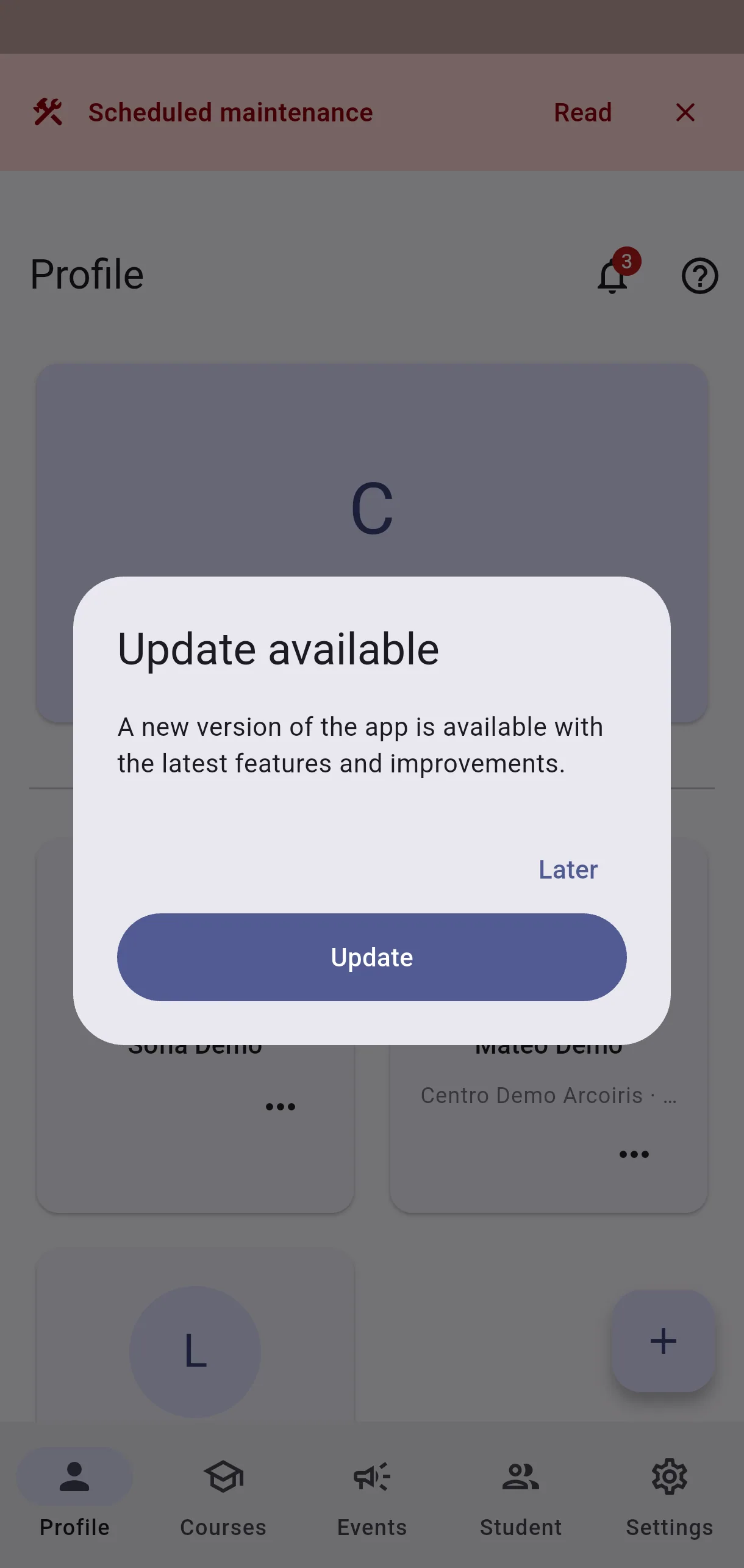
  • Screenshot: I see Update available. Do I have to update right now?

#I see Update required and I cannot get past it.

  • Families
  • Mobile app

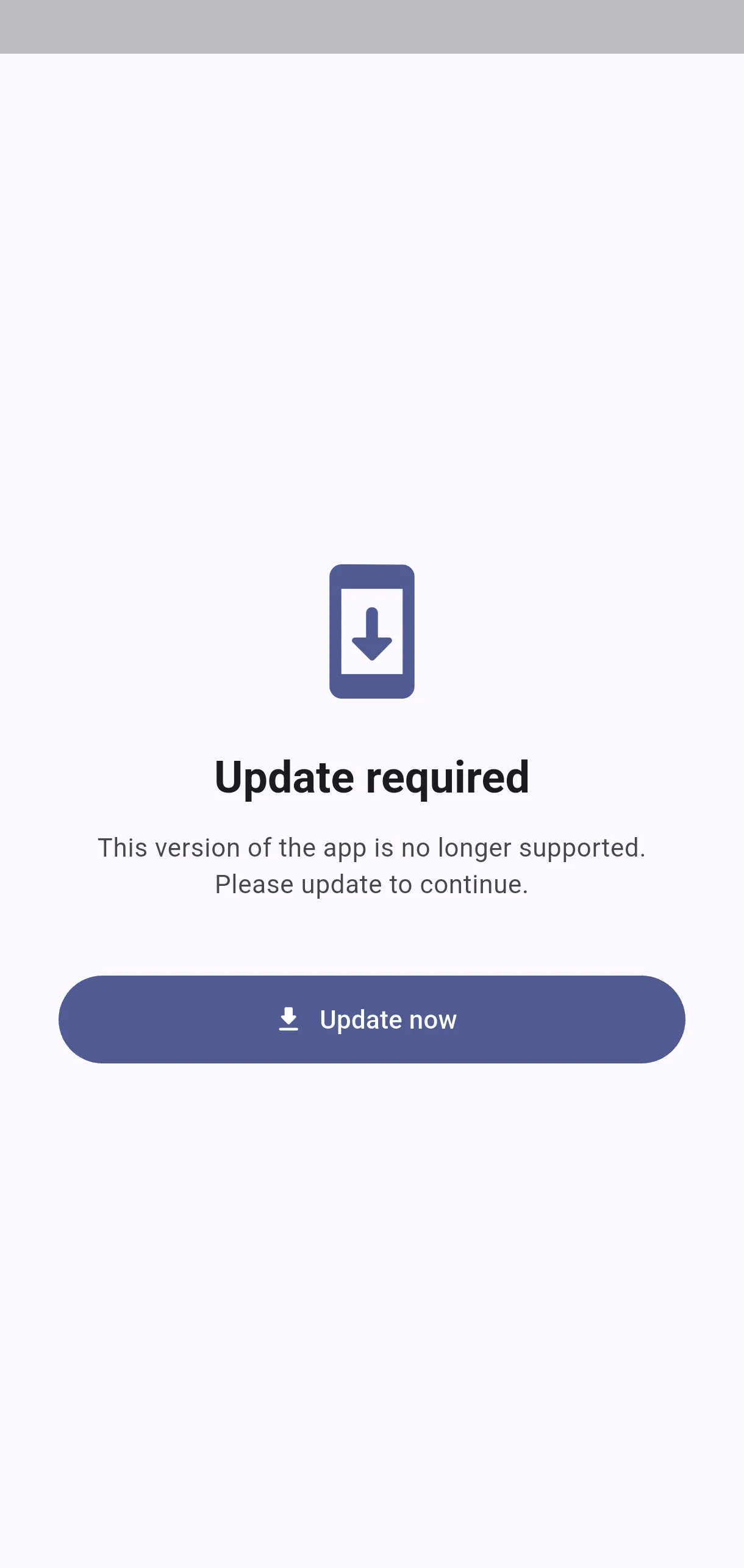
Your version is too old to work with the server, so the app stops until you update. It cannot be skipped, and it is not a fault.

It usually follows a server change that older versions no longer understand, or a fix for a problem that was affecting data.

Update now opens the store. Install the latest version and open the app again: the screen clears by itself.

  • Screenshot: I see Update required and I cannot get past it.

#On iPhone it asks me to update but there is no store button. What do I do?

  • Families
  • Mobile app

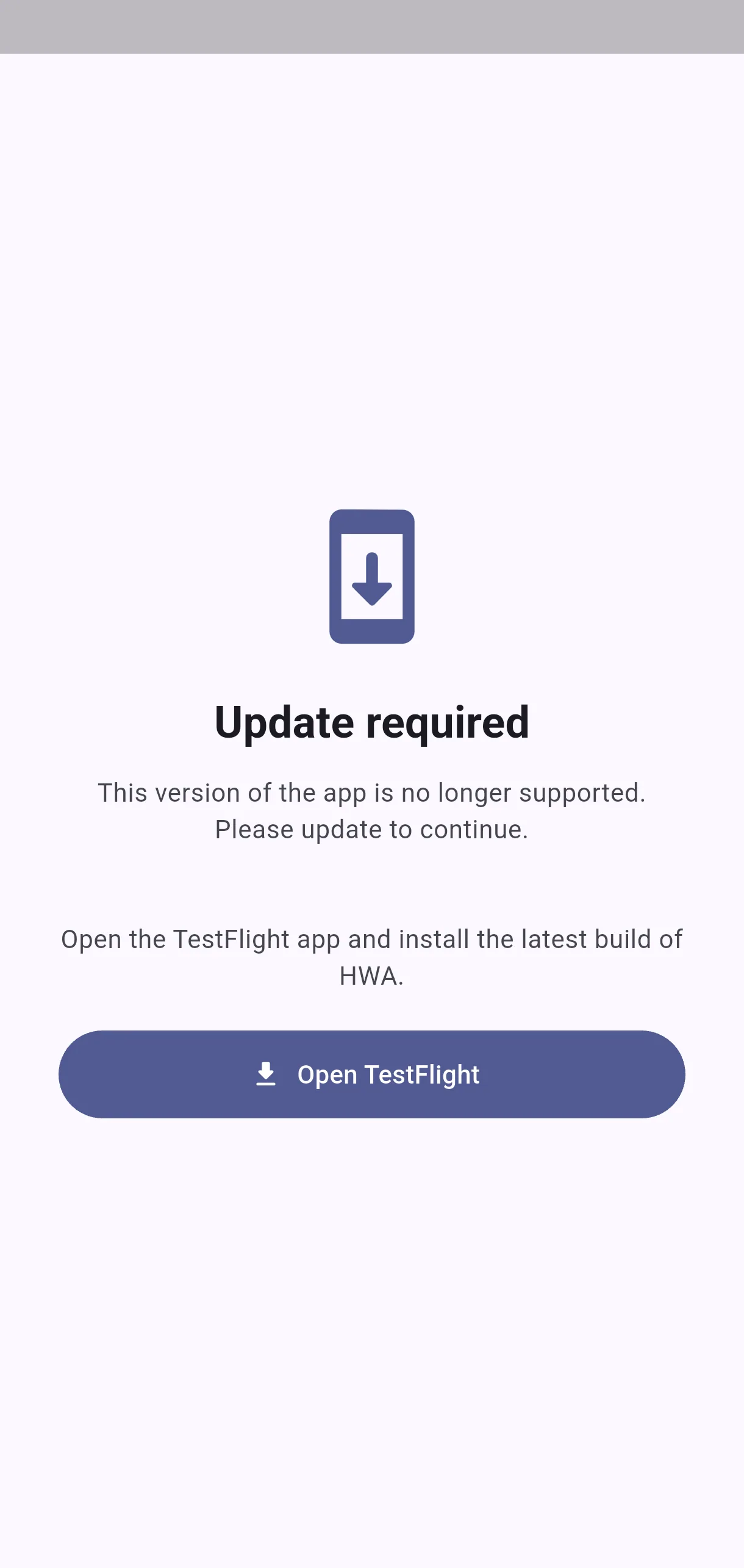
That is normal on iPhone test builds. An internal TestFlight group has no shareable link — Apple only issues those for external groups — so the screen shows instructions instead of the usual button.

Open the TestFlight app on your phone and install the latest build of HWA from there.

The Open TestFlight button tries to take you straight in. If you do not have that app installed, tapping it does nothing and the button then disappears, leaving the instructions on screen: install TestFlight from the App Store and try again.

  • Screenshot: On iPhone it asks me to update but there is no store button. What do I do?

#How do I register a new mobile release?

  • Schools
  • Web

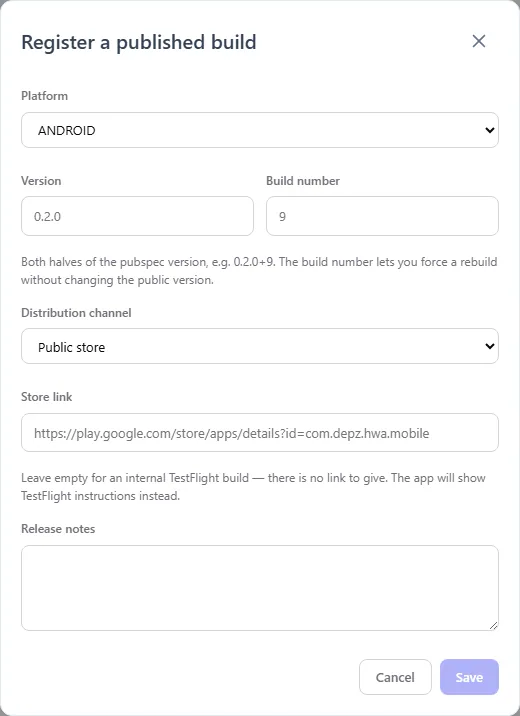
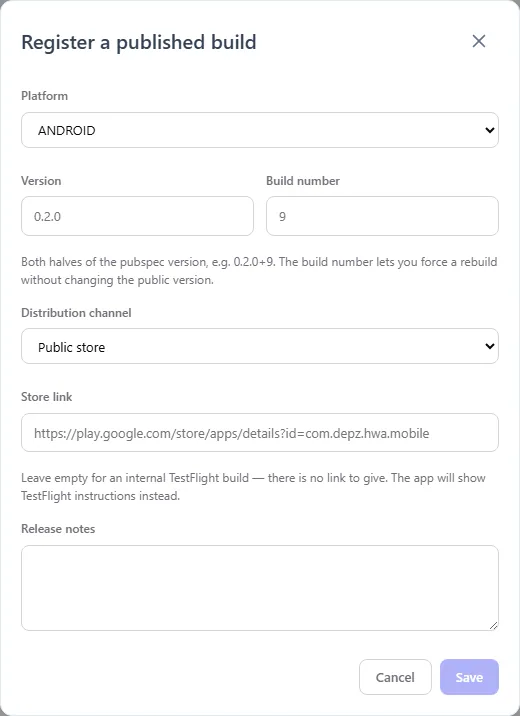
On the web, Mobile versions → Add release: platform, version number, build number, channel and store link.

Register it only once the build is genuinely installable. The registry is an assertion that users can get this build; nothing verifies it, and announcing a build that is not downloadable yet strands everyone.

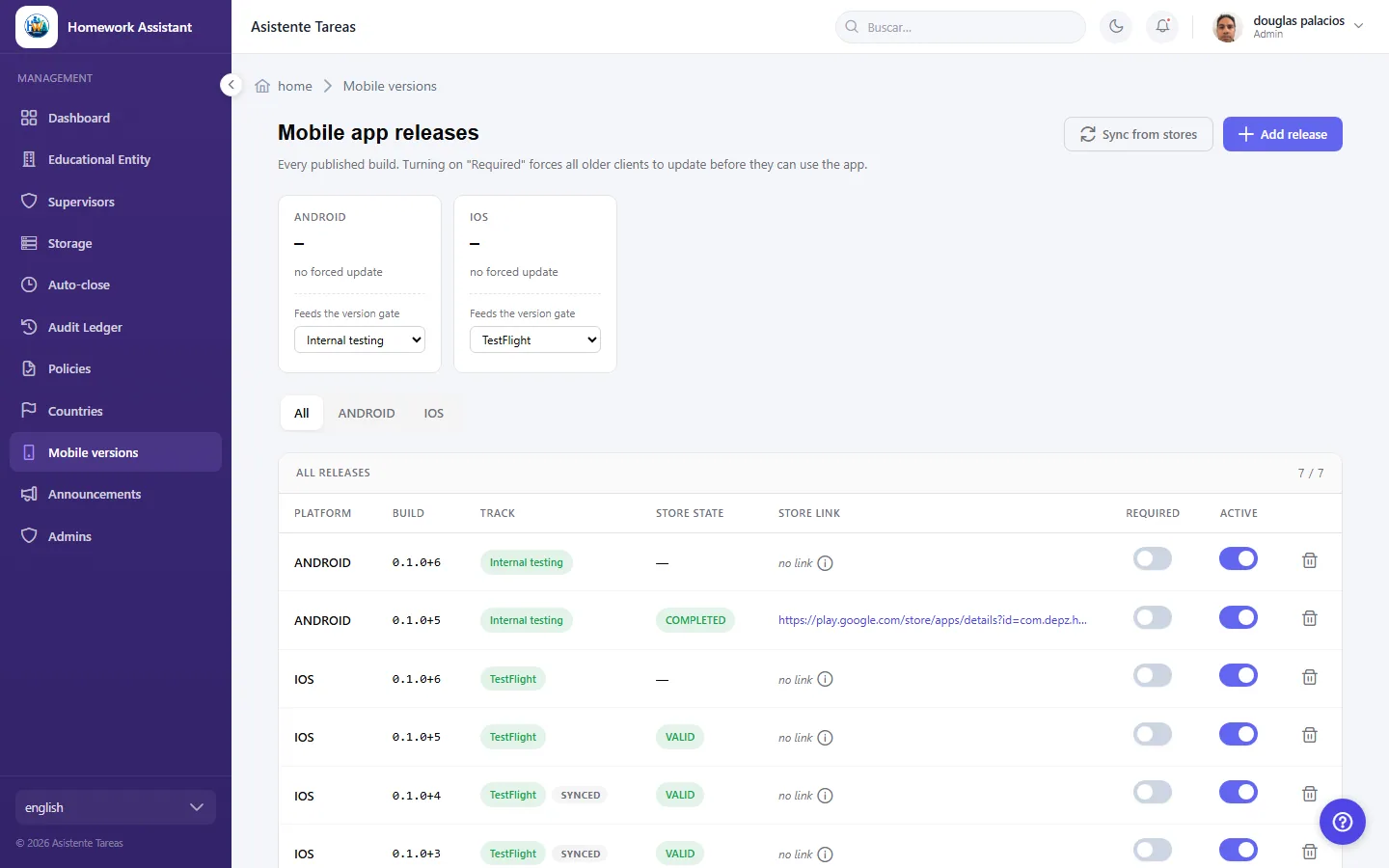
At the top, per platform, you can see the minimum required right now: any app below that version/build pair is gated.

  • Screenshot: How do I register a new mobile release?
  • Screenshot: How do I register a new mobile release?

#When should I mark a release as required?

  • Schools
  • Web

Only when staying on an older version is a real problem:

  • Yes — a breaking server change, a bug that corrupts data, a security fix.
  • No — an ordinary feature release, or a cosmetic fix. The dismissible nudge is enough.

It is a confirmed action: before it applies, you are told how many people it locks out.

The comparison uses version and build: 0.1.0+6 is newer than 0.1.0+5, so a rebuild can be forced without changing the public version number.

  • Screenshot: When should I mark a release as required?

#What do I put in the store link?

  • Schools
  • Web

It depends on the platform, and the two are not symmetric:

  • Android — the normal Google Play listing link. Testers opted into the internal track get that build from the usual listing.
  • iOS on an internal TestFlight group — leave it empty on purpose. There is no link to put, because Apple does not issue them for internal groups.

With the link empty, the app shows TestFlight instructions rather than a button that would go nowhere.

Marking a release required with no link is allowed but warns you: on iOS that is normal, and testers get instructions instead of a one-tap update.

  • Screenshot: What do I put in the store link?

#It will not let me mark a release as required. Why?

  • Schools
  • Web

Because doing so would strand people. It is refused when:

  • The release is retired — the gate cannot see it, so it would name a floor nobody could reach.
  • The TestFlight build has expired (they die after 90 days).
  • The Play rollout is staged and only reaches some users, or has been halted.

If a release that was already required falls into one of those cases, the store sync clears the flag by itself, logs it and warns you on screen.

That is the one place the system overrides a human decision, and it is deliberate: a required update quietly becoming optional is recoverable, a bricked install base is not.

  • Screenshot: It will not let me mark a release as required. Why?
  • Screenshot: It will not let me mark a release as required. Why?

#When do users notice that I changed the minimum?

  • Schools
  • Mobile app
  • Web

On the app's next launch, or within five minutes of it being brought back to the foreground.

Nothing has to be published to the stores and no release has to be cut: it is a data change and it takes effect on its own.

Keep the reach in mind: the moment it applies, everyone on an older version meets the Update required screen and cannot use the app until they update. That is why it is worth confirming the new build is genuinely installable on both platforms first.

  • Screenshot: When do users notice that I changed the minimum?

Other areas