1. HWA
  2. Help centre
  3. Teachers
All areas

Teachers

#What is the Teachers list?

  • Schools
  • Web

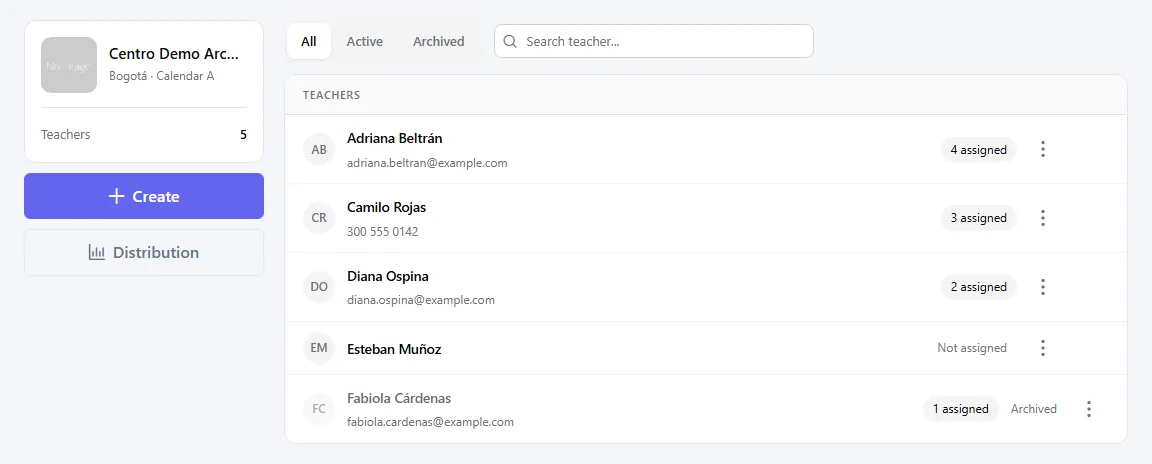
It is the directory of teachers of an educational unit: name, optional email and phone, and status. You register a teacher once and then pick them when assigning a course's head teacher or the teacher of a subject.

A teacher here is only a record: they get no invitation, cannot sign in and do not use the app.
  • Screenshot: What is the Teachers list?

#How do I register or edit a teacher?

  • Schools
  • Web

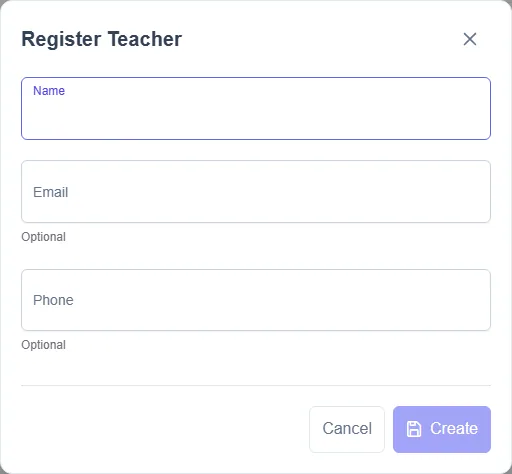
In Teachers click Create: Register Teacher opens. To change an existing one, open its ⋮ menu and choose Edit (Edit Teacher opens). Fill in the Name — required, up to 200 characters — and optionally the Email and Phone (marked Optional).

If a teacher with that name already exists in the unit you will see This educational unit already has a teacher with this name. When you change the name, it is updated on all their assignments.

  • Screenshot: How do I register or edit a teacher?

#How do I assign a teacher to a course or a subject?

  • Schools
  • Web

Where you used to type a name there is now a Teacher picker: search with Search by name and choose. If they are not in the list yet, use Register teachers (in the same picker) and come back.

Only Active teachers are offered. If the picker shows The teacher directory could not be loaded, try again.

#I want to delete a teacher who already has assignments. What happens?

  • Schools
  • Web

They are not deleted: they are archived. The message says their name stays on those records and they will not be offered for new assignments. Confirm with Archive. You will see the Archived badge, and you can list them with the Archived filter. A teacher with no assignments is deleted completely.

To offer them again, edit them and change the Status: an archived teacher keeps existing assignments but is not offered for new ones.

  • Screenshot: I want to delete a teacher who already has assignments. What happens?
  • Screenshot: I want to delete a teacher who already has assignments. What happens?

#How do I see how many hours each teacher teaches?

  • Schools
  • Web

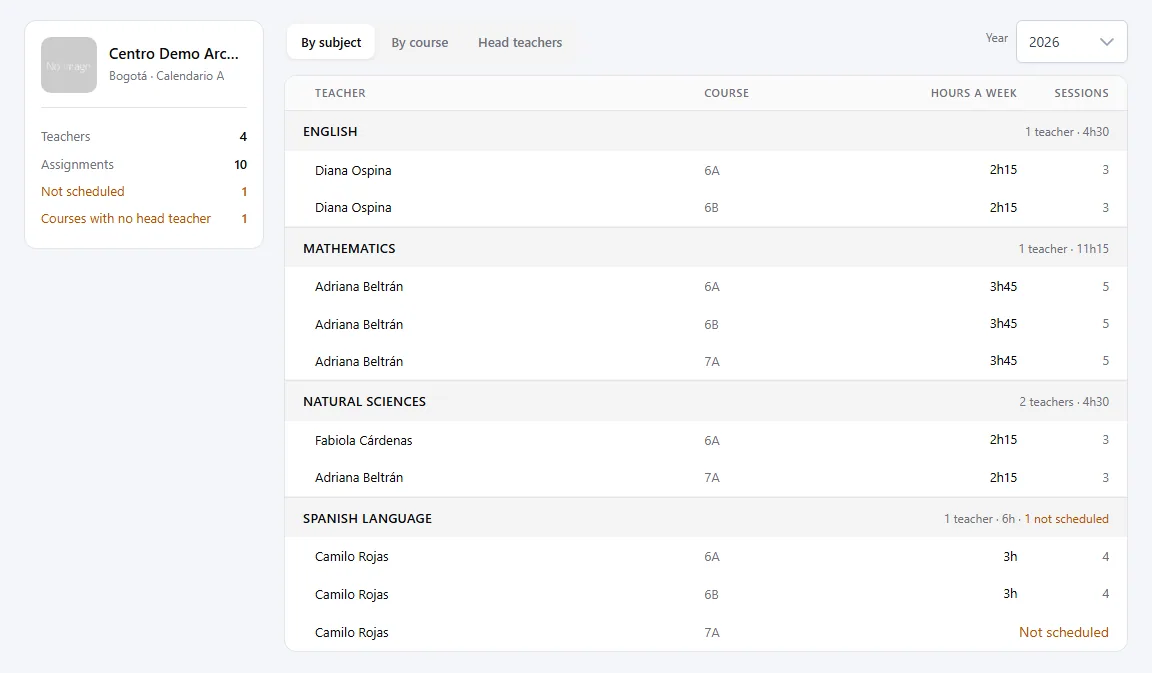
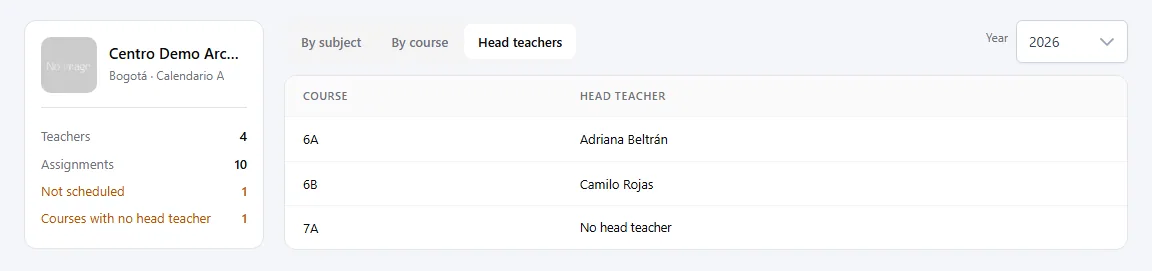
Open Distribution and choose the Year. You will see the totals (Teachers, Assignments, Not scheduled, Courses with no head teacher) and the By subject, By course and Head teachers tables, with Hours a week and Sessions.

Not scheduled marks assignments that have no sessions in the timetable yet, so they add no hours. Opening a teacher's profile (Open profile) shows the same for that person only: By course, By subject and Hours a week.

  • Screenshot: How do I see how many hours each teacher teaches?
  • Screenshot: How do I see how many hours each teacher teaches?

Other areas